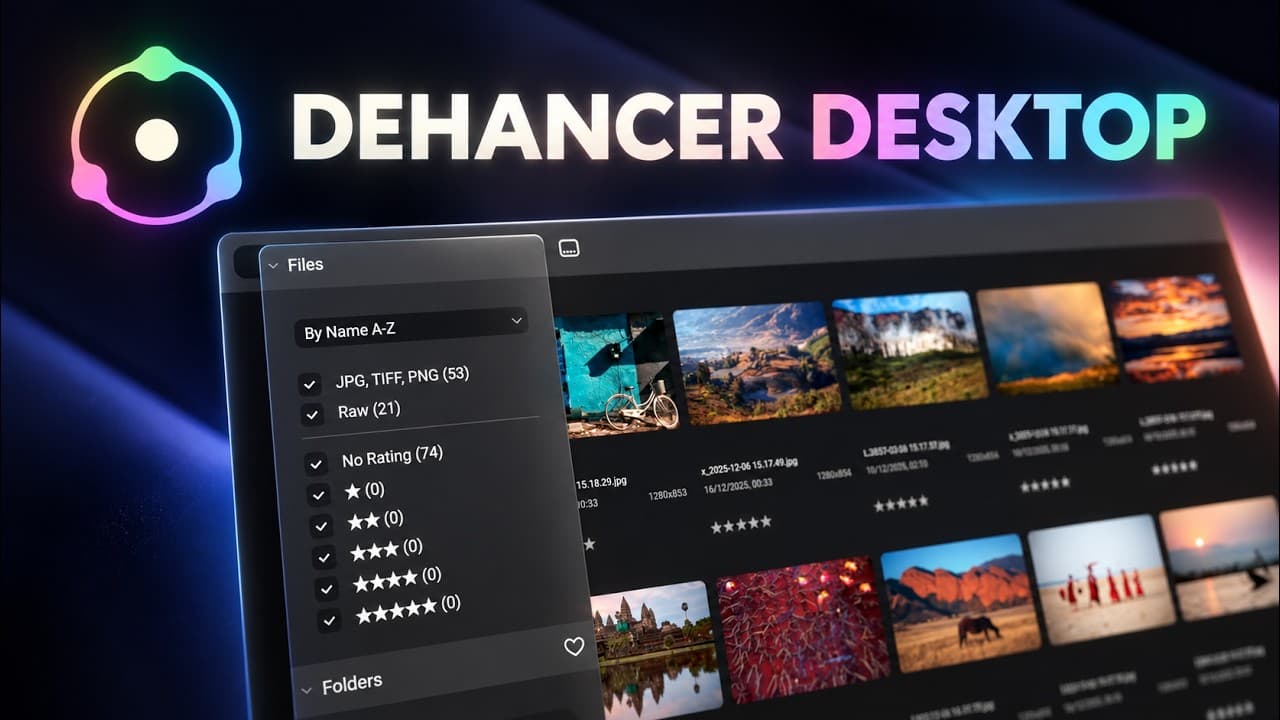
For years, Dehancer has been one of the more interesting options for photographers and filmmakers looking to recreate the character of analogue film. Until recently, though, photographers generally used Dehancer as a plugin inside another application such as Adobe Lightroom, Photoshop or Capture One.
Dehancer Desktop changes that.
It is a standalone photo editor, which means you can load your RAW files directly into Dehancer, edit them, organise shoots and export finished photographs without opening Lightroom at all.
So that raises an obvious question: could Dehancer Desktop actually replace Lightroom?
I’ve been looking at exactly that.
What is Dehancer Desktop?
Dehancer Desktop is a standalone photography application built around Dehancer's film-emulation technology.
Rather than requiring Lightroom or Photoshop as a host application, you can launch Dehancer Desktop, navigate to your photographs and start editing directly.
The application supports RAW files alongside JPEG, TIFF and PNG, while HEIC support is also available on macOS. Dehancer describes the workflow as non-destructive, so your original files remain untouched while your edits are stored within the application.
The current release at the time of writing is Dehancer Desktop 1.1.0, released on 3 August 2026. That update added features including project filters, EXIF and location metadata in exports, large-image processing and RGB/Lab values in the Inspector.
It already feels like considerably more than simply taking the existing Dehancer plugin and putting it into its own window.
A workflow designed around photographs
One of the big questions for any Lightroom alternative is workflow.
Editing an individual photograph is one thing. Photographers also need a sensible way of getting through dozens or hundreds of images from a shoot.
Dehancer Desktop includes a file browser, Projects, ratings, filtering and a Filmstrip for working through a series of images.
Projects work a little like virtual collections. Your original photographs remain where they are on your drive, but you can add them to different Projects and create independent edits without duplicating the source file. Images can also be rated from one to five stars and filtered by rating or file type.
You don't necessarily have to go through a conventional import process either. Dehancer can navigate folders containing your photographs directly, which may appeal to photographers who prefer maintaining their own folder structure.
There is also the ability to copy edits across a series of photographs and batch-export the finished results. Dehancer additionally provides Snapshots so you can save and compare different versions of an edit.
For a relatively new standalone application, that gives it the foundations of a proper photography workflow rather than making it simply a film-look generator.
Film emulation is where Dehancer stands out
This is the main reason you would choose Dehancer Desktop over a conventional RAW editor.
Dehancer isn't simply offering a collection of presets designed to make an image vaguely resemble film. Its editing system is built around recreating different stages and characteristics of the analogue photographic process.
Dehancer says Desktop launched with more than 60 film profiles and 86 presets.
You can then go much further than choosing a film stock.
The toolset includes controls for Film Developer, Film Compression, Print, CMY Color Head, Film Grain, Halation, Bloom, Vignette and even effects such as Film Damage and Overscan.
That means you can determine not just the basic colour palette of an image, but how grain behaves, how highlights bloom, how halation appears around bright areas and how the final print characteristics influence the finished photograph.
For me, this is the part of Dehancer that makes the comparison with Lightroom particularly interesting.
Lightroom can absolutely create film-inspired photographs, and Adobe even introduced its own Film-Inspired presets to Lightroom in 2026.
But the philosophy behind Dehancer is different.
Film isn't an additional look bolted onto the end of the editing process. It is effectively the editing process.
RAW editing without Lightroom
A standalone Dehancer application wouldn't be particularly useful as a Lightroom alternative if you still had to process every RAW file somewhere else first.
Fortunately, RAW processing is built in.
Dehancer supports different RAW processing frameworks, including LibRaw and Apple's RAW processing on compatible systems. The RAW controls provide the initial adjustments needed to prepare an image before moving into the film-emulation pipeline.
That potentially makes the workflow much simpler.
Instead of:
RAW file → Lightroom → Dehancer plugin → Lightroom → Export
you can potentially work with:
RAW file → Dehancer Desktop → Export
If your photography primarily revolves around getting the exposure and colour where you want them before creating a finished analogue-inspired look, that's an attractive proposition.
But can it really replace Lightroom?
This depends heavily on what you currently use Lightroom for.
Lightroom has become much more than a RAW processor.
Adobe's current Lightroom ecosystem includes desktop, mobile and web editing, automatic cloud synchronisation and 1TB of storage on its standard Lightroom plan. Lightroom Classic remains available for photographers who prefer a traditional desktop and locally stored library.
Adobe has also been putting considerable development into AI-assisted editing.
Current Lightroom features include AI-powered masks that can automatically identify people, subjects, skies, backgrounds, objects and individual landscape elements. Its recent releases have also introduced features including Generative Expand, enhanced masking controls, natural-language photo search and generative removal tools.
That's important because Dehancer Desktop and Lightroom aren't really trying to solve exactly the same problem.
Lightroom is an increasingly broad photography platform covering image management, RAW processing, detailed editing, cloud storage, mobile editing and AI-assisted tools.
Dehancer Desktop feels considerably more focused.
Its biggest strength is getting a photograph from RAW capture through to a carefully controlled, film-inspired finished image.
And depending on your photography, that might be exactly what you need.
Dehancer Desktop vs Lightroom
The easiest way to think about the difference is probably this:
Choose Dehancer Desktop if...
Your finished look is heavily influenced by analogue photography.
You regularly use Dehancer anyway and would rather remove Lightroom from the middle of your workflow.
You want detailed control over characteristics such as film profiles, grain, halation, bloom and print emulation.
You prefer working with photographs stored locally rather than building your workflow around cloud storage.
You want one application to handle RAW processing and your final film emulation.
Lightroom still makes sense if...
You rely heavily on sophisticated local adjustments and AI-powered masking.
You want your complete photo library synchronised between desktop, mobile and the web.
You have a large existing Lightroom catalogue and depend on its organisational workflow.
You regularly move photographs between Lightroom and Photoshop.
You need a more general-purpose photo-editing platform rather than an editor primarily centred around film-inspired results.
Is Dehancer Desktop easier than using the plugin?
There is something very appealing about cutting an application out of your editing workflow.
Previously, if Dehancer was where the majority of the visual character of your image was being created anyway, Lightroom could sometimes feel like the application you opened simply because you needed somewhere to host the plugin and prepare the RAW file.
Desktop changes that relationship.
The RAW photograph can now enter Dehancer much earlier in the process.
You can correct the source image, choose the film profile, work on the characteristics of that film, add grain, halation and bloom, fine-tune the print and export the result without leaving the application.
That doesn't automatically make it a better workflow than Lightroom.
But it does make it a genuinely different one.
What I like about Dehancer Desktop
The biggest attraction for me is its focus.
Modern photo applications continually add more features. That's useful, but it can also make the software increasingly complicated.
Dehancer Desktop feels as though it knows exactly what kind of photograph it wants to help you create.
The film profiles give you a starting point, but you're not locked into simply clicking a preset and accepting the result.
Grain can be treated as part of the photographic image rather than a generic texture overlay. Halation and bloom can be adjusted independently. The printing stage gives you another level of control over the final appearance.
And because the application can now process the RAW photograph itself, the complete workflow feels much more coherent.
Where Lightroom remains stronger
The word replacement needs some context.
If you've spent years building an enormous Lightroom catalogue, use Lightroom on your phone and tablet, share images through Adobe's cloud and regularly depend on its latest AI masking and retouching tools, Dehancer Desktop isn't a direct one-for-one recreation of that ecosystem.
Nor does it need to be.
Adobe describes Lightroom as an application focused on editing, organising and processing photographs, while its ecosystem now stretches across desktop, mobile and the web.
Dehancer Desktop has a narrower purpose.
That narrower focus could actually be one of its advantages for the right photographer.
So, is Dehancer Desktop a Lightroom replacement?
For some photographers, I think it genuinely could be.
If your normal Lightroom workflow consists primarily of RAW adjustments followed by Dehancer to create the final look, Desktop potentially removes an entire stage from that process.
You get RAW processing, non-destructive editing, Projects, ratings, filmstrip editing, copying adjustments across images and batch export alongside the Dehancer tools that were probably the reason you were using the plugin in the first place.
But if Lightroom is the centre of a much bigger photography ecosystem for you — particularly cloud storage, cross-device editing, advanced AI masking and integration with Photoshop — the answer is less straightforward.
I wouldn't necessarily look at Dehancer Desktop as an application trying to beat Lightroom at everything Lightroom does.
I think the more interesting question is whether you actually need everything Lightroom does.
If what you really want is a streamlined RAW-to-film workflow, Dehancer Desktop has become a much more compelling alternative.
And for photographers who already love the Dehancer look, being able to create it without Lightroom might be the most interesting feature of all.
Editing video too?
Check out Dehancer Pro for yourself and start transforming your videos into cinematic masterpieces. Don’t forget to use my discount code ‘KAGOOL10’ for a 10% discount! See our Dehancer partner page for the code, redemption steps and affiliate disclosure.
Watch the video: Dehancer Desktop Review: Lightroom Replacement?